Web Performance Matters: How Page Speed Directly Affects Revenue
Web performance isn't a technical metric that only engineers care about. It's a business metric that directly correlates with revenue, conversion rates, and customer retention. Every millisecond of latency, every extra kilobyte of JavaScript, every unoptimized image translates to measurable revenue loss. The companies that understand this — Amazon, Walmart, Google, Pinterest — treat performance as a competitive advantage, not a checkbox.
This article presents the data linking page speed to business outcomes, explains the technical factors that affect performance, and provides a practical framework for setting and maintaining performance budgets.
The Hard Numbers: Speed and Revenue
The relationship between page speed and business outcomes has been studied extensively by companies with billions of data points. The findings are remarkably consistent across industries, geographies, and business models.
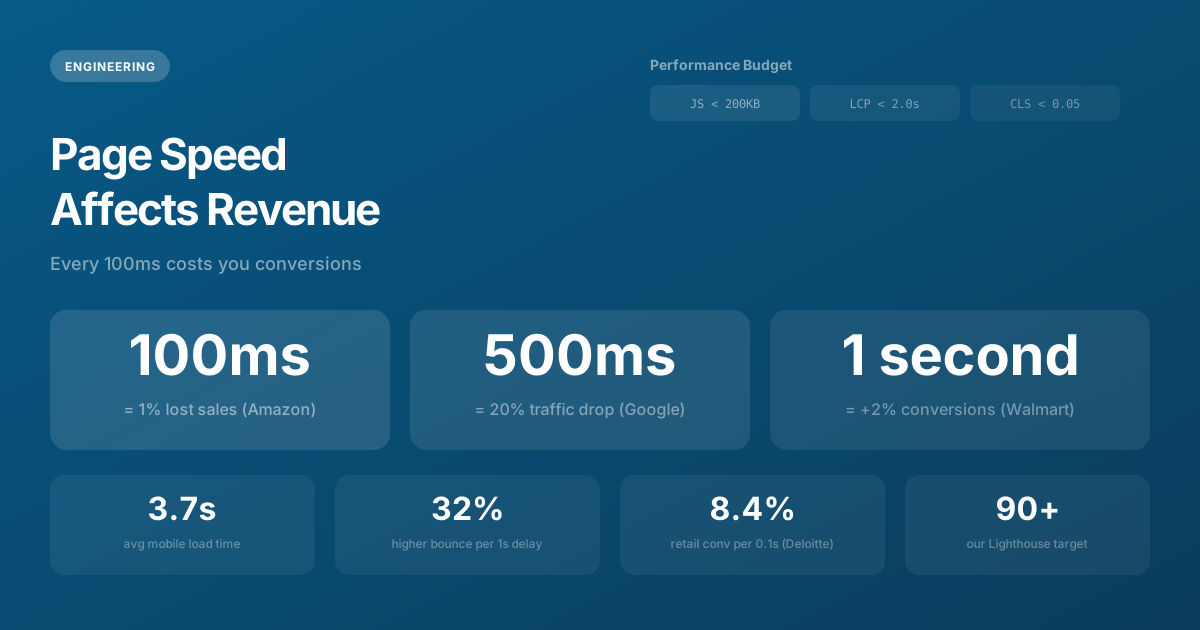
- Amazon found that every 100ms of added latency cost them 1% in sales. At their scale, that translates to approximately $1.6 billion annually at today's revenue scale. While your scale may differ, the proportional impact applies universally.
- Walmart discovered that for every 1-second improvement in page load time, conversions increased by 2%. After a comprehensive mobile performance overhaul, their mobile conversion rate improved by 98%.
- Google reported that increasing search results page load time by just 0.5 seconds reduced traffic by 20%. This data directly influenced their decision to make Core Web Vitals a ranking factor.
- BBC found they lost an additional 10% of users for every extra second of page load time. Their content is free — users still won't wait for it.
- Pinterest reduced perceived wait times by 40% through performance optimizations, resulting in a 15% increase in both SEO traffic and user signups simultaneously.
- Vodafone improved their Largest Contentful Paint by 31% and measured an 8% increase in sales, a 15% improvement in lead-to-visit rate, and an 11% increase in cart-to-visit rate.
- Deloitte Digital studied retail and travel sites and found that a 0.1-second improvement in mobile site speed resulted in an 8.4% increase in conversions for retail and 10.1% for travel.
The pattern is universal: faster sites convert better. The only variable is magnitude — and at every scale we've measured, the impact is significant enough to justify investment.
Why Mobile Performance Matters Most
Over 60% of global web traffic now comes from mobile devices, and mobile networks introduce latency that broadband connections don't. A page that loads in 1.5 seconds on desktop fiber might take 4-6 seconds on a 4G connection in a suburban area — and 8-10 seconds on a 3G connection in a developing market.
This matters for two reasons. First, the majority of your users experience your "slow" site, not your "fast" one. If you're testing on a MacBook Pro connected to office WiFi, you're seeing an experience that only 20-30% of your users share. Second, Google's mobile-first indexing means your mobile Lighthouse score — not your desktop score — determines your search rankings. Optimizing for desktop while ignoring mobile is optimizing for the minority experience while being penalized for the majority.
The 3G Test
We test every project on simulated 3G connections during development. Not because most of our clients' users are on 3G, but because if your site is fast on 3G, it's blazing fast on everything else. This constraint forces us to make smart decisions about image formats, JavaScript bundles, and rendering strategies from day one — rather than discovering performance problems after launch.
Core Web Vitals: The Google Revenue Connection
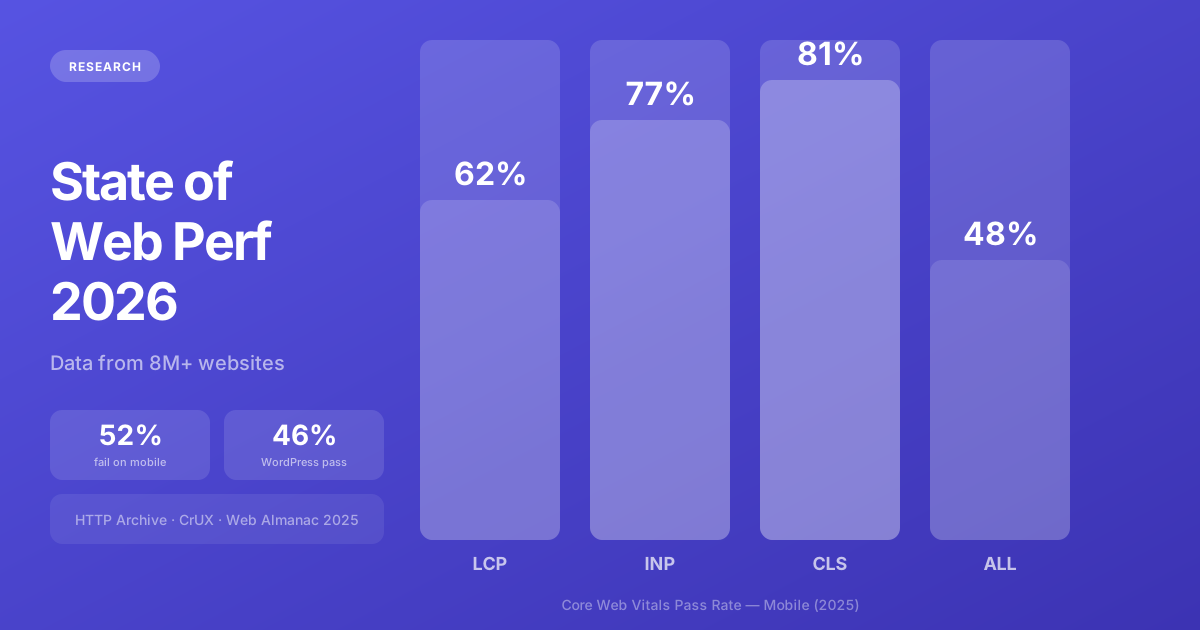
Google's Core Web Vitals aren't just abstract ranking signals — they're proxy metrics for user experience that directly correlate with business outcomes. Understanding what each metric measures and how to optimize it is essential for any business that depends on organic search traffic.
Largest Contentful Paint (LCP)
LCP measures how quickly the main content of your page becomes visible. Google considers under 2.5 seconds "good" and over 4 seconds "poor." Common causes of slow LCP include unoptimized hero images, render-blocking CSS, slow server response times, and third-party scripts that delay rendering.
The business impact is direct. Vodafone's 31% LCP improvement correlated with an 8% increase in sales. When users see your content faster, they engage more and convert more. It's that simple.
Interaction to Next Paint (INP)
INP replaced First Input Delay in 2024 as Google's responsiveness metric. It measures how quickly your page responds to any user interaction — clicks, taps, keyboard input. Under 200ms is "good." Heavy JavaScript bundles are the primary culprit. Each interactive element triggers JavaScript execution, and if your bundle is 500KB+ of unoptimized code, even simple button clicks feel sluggish.
Cumulative Layout Shift (CLS)
CLS measures visual stability — how much your page content shifts around as it loads. If a user is about to tap a button and it suddenly moves because an ad loaded above it, that's a layout shift. Google considers a CLS score under 0.1 "good." Pages with good CLS see 24% fewer page abandonments compared to pages with poor CLS.
Performance Budgets: A Practical Framework
A performance budget defines maximum thresholds for page weight, load time, and JavaScript size. Setting budgets before development starts — and measuring against them continuously — is the difference between sites that maintain their performance and sites that gradually degrade as features accumulate.
Performance Budget (our default targets):
├── Total page weight:     < 500KB (compressed/transferred)
├── JavaScript bundle:     < 200KB (compressed)
├── CSS:                   < 50KB (compressed)
├── Images per page:       < 300KB total (WebP/AVIF)
├── LCP:                   < 2.0 seconds (mobile 4G)
├── INP:                   < 150ms
├── CLS:                   < 0.05
├── TTFB:                  < 400ms (edge-rendered)
├── Time to Interactive:   < 3.5 seconds (mobile 4G)
└── Lighthouse Performance: > 90 (mobile)
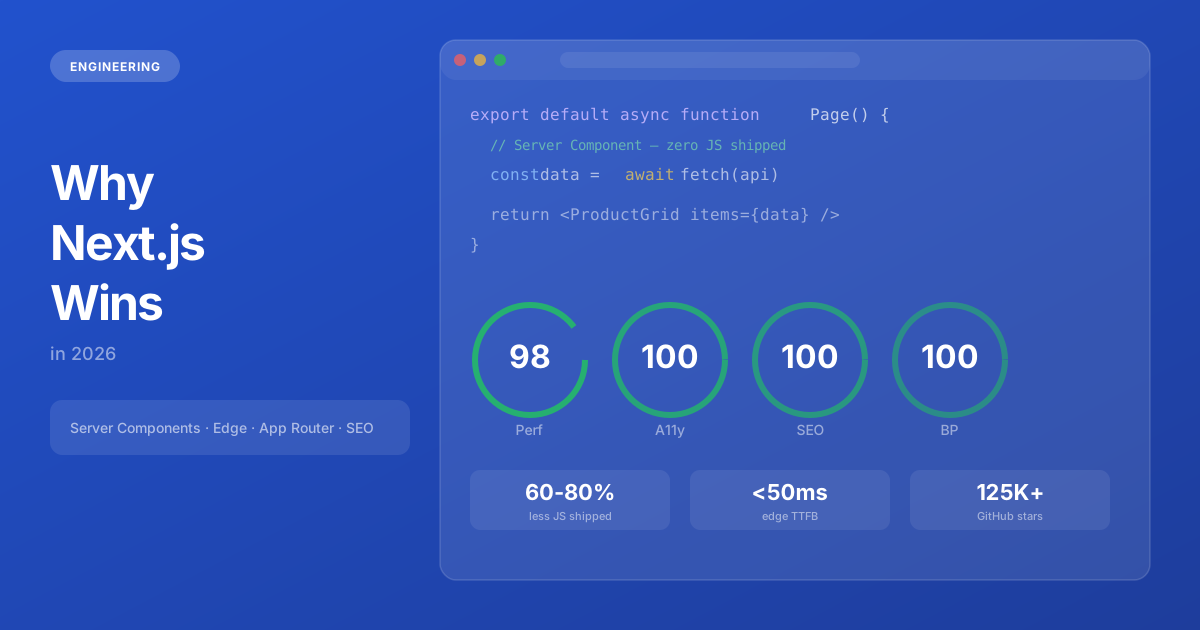
These targets are achievable with modern frameworks like Next.js, proper image optimization (WebP/AVIF with responsive srcset), and disciplined dependency management. The key is treating these budgets as hard constraints, not aspirational goals. When a new feature would push JavaScript over 200KB, we optimize existing code or find a lighter approach — we don't increase the budget.
The Biggest Performance Killers
After auditing hundreds of websites across industries, the same culprits appear with predictable regularity. Understanding these patterns lets you identify and fix the highest-impact issues first.
1. Unoptimized Images (50-70% of page weight)
Images are the single largest contributor to page weight on most websites. A single unoptimized JPEG hero image can weigh 2-5MB — more than the entire rest of the page combined. The fix: use next-gen formats (WebP saves 25-35% over JPEG; AVIF saves 50%+), serve responsive sizes via srcset (don't send a 2000px image to a 400px mobile screen), compress aggressively, and lazy-load everything below the fold.
2. Third-Party Scripts (300-800KB of hidden JavaScript)
Analytics, chat widgets, ad trackers, social sharing buttons, A/B testing tools, heatmap services — each one adds 30-150KB of JavaScript that your users didn't ask for. We've audited sites where third-party scripts accounted for 70% of the total JavaScript payload. The fix: audit ruthlessly. For each third-party script, ask: "What business decision does this enable that we couldn't make without it?" Remove everything that doesn't have a clear, specific answer.
3. Unused CSS
Sites built with CSS frameworks like Bootstrap or Material UI often ship 200-400KB of CSS, of which 85-95% is unused on any given page. Utility-first frameworks like Tailwind CSS solve this by generating only the CSS classes you actually use — typically 10-30KB for an entire site. If you're loading a full CSS framework, you're paying a performance tax for styles you'll never use.
4. Render-Blocking JavaScript
JavaScript in the <head> without async or defer attributes blocks the browser from rendering any content until the script downloads and executes. A single 200KB render-blocking script can add 1-2 seconds to LCP on mobile. Modern frameworks like Next.js handle this automatically, but custom and legacy sites frequently have this issue.
5. No CDN or Edge Caching
Serving your website from a single server in one location means every user outside that region experiences added latency. A CDN distributes your content to edge nodes globally, reducing TTFB from 300-800ms to under 50ms for static assets. For dynamic content, edge rendering (available through Vercel, Cloudflare Workers, or AWS CloudFront Functions) runs your server code on the nearest node to each user.
Measuring Performance: Tools and Cadence
Performance measurement isn't a one-time audit — it's a continuous practice. We use a combination of lab testing (controlled, repeatable measurements) and field data (real user metrics):
- Lighthouse CI — Runs on every pull request, fails the build if scores drop below thresholds. This prevents performance regressions from ever reaching production.
- Google Search Console — Core Web Vitals report shows field data from real Chrome users. Checked weekly to catch gradual degradation.
- Web Vitals library — Embedded in the application to report real user metrics (LCP, INP, CLS) to our analytics dashboard. This shows the actual experience users have, not just lab conditions.
- PageSpeed Insights — On-demand testing for specific pages, combining lab data with field data from the Chrome User Experience Report.
Performance as Competitive Advantage
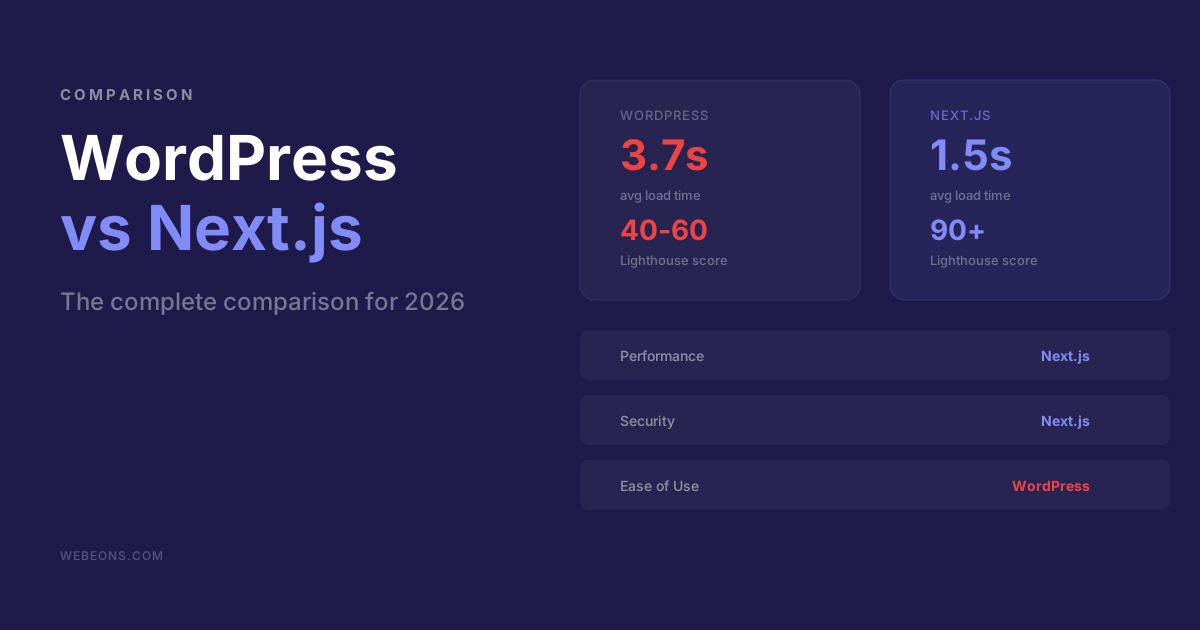
The average page load time across the web is still 3.7 seconds on mobile (HTTP Archive, 2025). Most of your competitors have slow websites because most businesses underinvest in performance engineering. By building a site that loads in under 2 seconds, you're not just meeting a standard — you're creating a measurable competitive advantage in both user experience and search rankings.
The investment in performance engineering pays for itself through three channels: higher conversion rates (2-8% improvement per second saved), better SEO rankings (directly impacted by Core Web Vitals), and lower bounce rates (32% reduction per second of improvement). Stack those returns over 12 months of traffic, and performance optimization becomes one of the highest-ROI investments a business can make.
Speed isn't a feature. It's the foundation that every other feature depends on.
Need help with this?
We build exactly what this article describes — production-grade digital products for ambitious companies.
Start a Project →